


Daily Themed Crossword Puzzles
4.838.57K Reviews
App Specs
- Version
- 1.852.2
- Updated On
- License
- Free
- Downloads
- 10,000,000+
- Developer
- PlaySimple Games
- Categories
- Word
- Platform
- Android, iOS
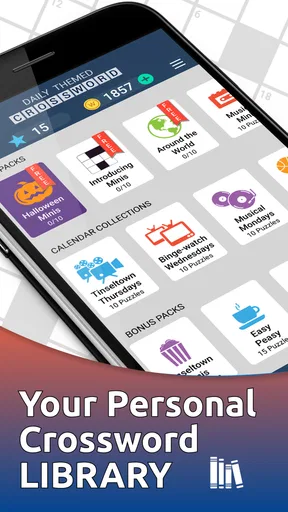
Screenshots


 Analysis by AppCompare
When I pick a crossword game for a spare moment, I want more than a grid on a screen: I want clues I can approach at my own pace, a layout I can read comfortably, and a way to return after an interruption without losing the thread. Daily Themed Crossword Puzzles is built around themed word puzzles, and its appeal is straightforward: it gives me a familiar crossword routine with a fresh subject to work through. That makes it an easy fit for a quiet break, though the phone format also brings some practical limits that are worth weighing.
How the format fits a daily routine
The game comes from PlaySimple Games and sits in the word-puzzle corner of mobile gaming. It is free to play, rated for Everyone, and has reached over 10 million installs. Its average rating is 4.8 from around 161,000 ratings, which suggests it has found a large audience, but I would still judge it by whether its format suits the way you like to solve.
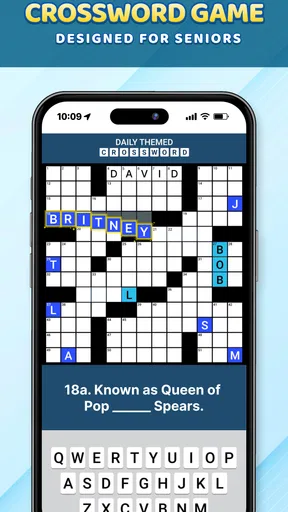
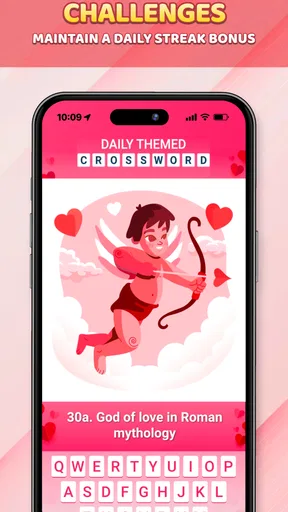
The daily theme gives each puzzle a useful starting point. Rather than facing a grid of unrelated clues, I can use the subject to build a little context as I go. That is especially helpful when I have only a few minutes: I can make a couple of confident entries, see how the crossings help, then put the phone down. If I prefer longer sessions, the same themed structure gives me a thread to follow through the whole puzzle.
A practical way to play is to begin with clues that feel obvious, then use crossing letters to narrow the uncertain answers. I find that works better than repeatedly tapping at one stubborn clue. It also makes hints more valuable as a last resort: first let the grid provide information, then use assistance only when a particular answer is blocking progress. The game includes a hint system, though spending hints freely may not suit someone who wants every solve to come entirely from their own reasoning.
Reading the grid and moving around it
On a phone, crossword usability depends on more than whether the clues are clever. The grid and clue text share limited space, so I pay attention to whether I can keep track of the active answer and move between entries without losing my place. The app’s inviting, uncluttered presentation makes a more approachable first impression than a dense page of tiny print, and its navigation is designed to get a player into the puzzle without much fuss.
That said, a touch screen is not the same as a newspaper. Selecting a particular square or switching direction can take care, especially if you are moving quickly or holding the phone with one hand. I would solve seated or with the device supported if repeated tapping feels tiring. If you often need larger text, check the display on your own device before settling into a long session; comfort can vary with screen size, eyesight, and how close you hold the phone.
A useful habit is to pause after completing a cluster of answers and reorient yourself before moving to another part of the grid. That small reset can reduce accidental entries and make the game less frustrating for anyone who finds rapid screen navigation difficult. The app’s simple presentation helps, but it cannot remove the basic trade-off of solving a compact grid by touch.
Worth Reading Before You Choose

EA SPORTS FC Mobile 26 Is a Bigger Football Game, but It Takes Time

Flipboard Shows What News Apps Must Do Beyond the Feed

Switching to Android Auto Means Rethinking Your Driving Routine

Google Calendar Makes a Crowded Week Easier to Manage

Ludo King Makes the Most of the Minutes Between Plans

Baby Panda World Brings Quick Play to Modern Phones, but Its Game Library Feels Busy
Different abilities, different surroundings
Crosswords can be a welcoming activity because a player can think through clues at an individual pace, without needing quick reflexes or precise timing. Here, that makes the game more suitable than action-heavy mobile titles for someone who wants a calm mental challenge. The daily themes can also help players who find a broad set of clues easier to approach when they have a shared subject to anchor their thinking.
The offline play is particularly useful in ordinary situations: on a flight, during a commute through a patchy-signal area, or while waiting somewhere with no dependable connection. I like that a puzzle can serve as a small screen-based activity without requiring a live opponent or a continuous data connection. For a smoother session, I would open the game and choose what to play before putting my phone away, rather than relying on a connection at the exact moment I want to start.
There are still meaningful barriers. Crossword clues depend on reading and language knowledge, so the format will not suit everyone, and a small touchscreen can be uncomfortable for people with limited dexterity or visual needs. A quiet setting also helps: even a well-designed puzzle is harder to enjoy when you are trying to read clues amid constant interruptions. If you need strong, specific accessibility controls, I would compare the app directly with options that clearly meet those needs on your device before committing to it.
Where it sits among word games
Compared with a word-search game, this asks for more inference: you need to interpret clues and make answers fit one another, not simply spot a visible word. Compared with a large, printed crossword, it is easier to carry and pick up in short bursts, but the phone screen is less forgiving for people who like to scan an entire puzzle at once. I would choose this app for themed, bite-sized solving; I would choose paper or a tablet-sized display if seeing more of the grid at once matters more than portability.
It is also a different kind of break from a quick anagram or word-making game. Those can reward fast repeated attempts, while a crossword often feels better when I slow down, consider the wording, and let crossing answers confirm a guess. That distinction matters if you want a game to fill a spare minute: a crossword can be paused mentally, but an unfinished clue may still be on your mind when you return.
First Impressions
Opening up the Daily Themed Crossword Puzzles app felt like stepping into a cozy corner of a bookstore. The interface is clean and inviting, with a gentle color scheme that doesn’t scream at you. Navigating through the app is a breeze, thanks to its intuitive design. You get this instant vibe that the creators really thought about user experience, which is always a win in my book.
Gameplay and Features
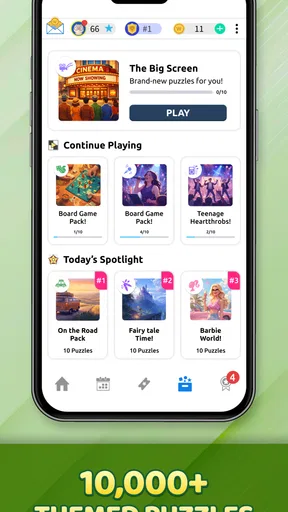
Now, let’s get to the juicy part—the puzzles themselves. Each day brings a new theme, which keeps things fresh and exciting. One day you’re deciphering clues about classic movies, and the next, you’re deep into the world of exotic cuisines. The variety is fantastic and keeps you on your toes!
The clues are cleverly crafted, offering just the right level of challenge. They’re not too easy to bore you, nor too hard to make you toss your phone in frustration. Plus, there’s a helpful hint system if you ever find yourself stuck in a puzzle rut. Just a tap, and you’re back in the game!
Social and Interactive Elements
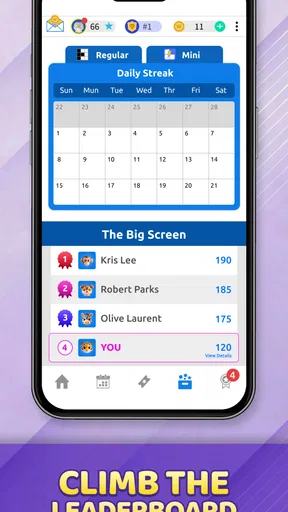
One of the cool aspects of this app is its social element. You can connect with friends and challenge them to beat your time or solve a puzzle together. It’s like having a virtual crossword buddy, minus the awkward coffee spills. The app also offers leaderboards, so if you’re the competitive type, you can see how you stack up against players worldwide.
If you prefer to treat crosswords as a private, unhurried activity, the social layer is easy to regard as optional rather than the reason to play. I would use a friendly challenge as a prompt to return to a puzzle, not as pressure to rush through it. Speed comparisons can be fun, but they are a poor measure of whether you are actually enjoying the clues; taking longer to solve thoughtfully is not a failure.
Accessibility and Usability
For those of you wondering about accessibility, the app doesn’t disappoint. It supports a variety of languages, which opens the door to a broader audience. The text size is adjustable, making it user-friendly for everyone, whether you’re squinting at your phone or have eagle eyes.
Another neat feature is the offline mode. So, if you’re on a plane or somewhere off the grid, you can still get your puzzle fix without a hitch. Talk about convenience!
For me, offline play is most useful when I plan around it rather than assume every part of the experience works the same way without a connection. I would download or open the game while online, then test a puzzle before counting on it for a long trip. That is a simple precaution for anyone who depends on an offline activity, and it avoids discovering a snag only after the signal disappears.
Monetization and Subscriptions
Now, I know what you’re thinking—what’s the catch? The app is free to download, but it does come with ads. They’re not too intrusive, but if you’re like me and prefer an ad-free experience, there’s a subscription option. It’s reasonably priced and offers extra perks like bonus puzzles and unlimited hints. If you’re a crossword aficionado, it might be worth considering.
I would be cautious about treating those subscription details as a reason to pay before trying the basic routine. The game is free, and optional in-app purchases range from $0.99 to $51.99 per item, so the sensible choice is to decide what, if anything, you actually need after seeing how you play. If you rarely use hints and are content with the available puzzle flow, spending may add little to your experience. If you solve often and find a particular paid option useful, compare its cost with how regularly you expect to use it.
Who I’d recommend it to
This is a good match for someone who already likes crosswords, wants a themed prompt to get started, and appreciates being able to solve away from a desk. It can also work for a word-game fan ready to move beyond word searches or anagrams into clues that reward general knowledge and deduction. A realistic use is a few entries while waiting for an appointment: solve the answers that come readily, leave a difficult corner for later, and return when you have the patience to think it through.
I would steer away from it if you want a fast, reflex-driven game, dislike reading clues on a phone, or need accessibility settings that are essential to your comfort and cannot be confirmed in your own use. It may also be the wrong choice if you want a completely solitary experience and prefer not to see social or competitive elements, or if you expect a crossword to be effortless without occasional uncertainty. A paper puzzle or a larger-screen option can be better when a broad view of the grid is your priority.
How it holds up over time
The current version is 1.826.0, and the game has been available since January 15, 2018. Those details make it a long-running option rather than a brand-new experiment, but they do not tell me whether every individual puzzle will match my taste. What matters more in everyday use is whether the themes keep giving you a reason to open it and whether the clue difficulty feels satisfying instead of repetitive.
At 4.8 out of 5 on average, based on around 161,000 ratings, it clearly has broad appeal; it has also drawn around 38,000 written reviews. I treat those numbers as a sign that many players enjoy the format, not as a guarantee that it will fit my eyesight, preferred pace, or crossword experience. The best test is to try a few puzzles and notice whether the daily theme helps you engage or feels like an extra wrapper around the same routine.
Final Thoughts
Overall, Daily Themed Crossword Puzzles is a delightful escape into the world of words. Whether you’re a seasoned puzzler or just looking for a new hobby, this app is worth a download. It’s engaging, well-designed, and offers endless hours of entertainment. Plus, who doesn’t love the feeling of completing a crossword?
So, if you’re ready to challenge your brain and dive into a world of themed fun, give Daily Themed Crossword Puzzles a try. You might just find yourself hooked—don’t say I didn’t warn you!
Pros
- Intuitive interface that's easy to navigate.
- Wide variety of themes to choose from.
- Daily updates with new puzzles.
- Offline play available for convenience.
- Hints system helps when you're stuck.
Cons
- Ads can be distracting and frequent.
- Some puzzles may be too easy for experts.
- Limited free content without subscription.
- Occasional bugs in puzzle loading.
- Requires internet for downloading puzzles.
FAQs for Daily Themed Crossword Puzzles
What is Daily Themed Crossword Puzzles?
Daily Themed Crossword Puzzles is a mobile app offering a wide variety of themed crossword puzzles. Users can enjoy daily challenges, enhancing their vocabulary and problem-solving skills. It provides a fun way to pass the time while also engaging your brain with different levels of difficulty.
Is Daily Themed Crossword Puzzles free to download and play?
Yes, Daily Themed Crossword Puzzles is free to download and play. However, it offers in-app purchases that provide additional features such as hints and ad-free experiences. Users can enjoy the full game without purchases, but these options can enhance the overall experience.
What themes are available in the puzzles?
The app features a wide array of themes, ranging from pop culture and historical events to movies and famous personalities. Each puzzle is carefully crafted to suit its theme, making it a unique and engaging experience for every player who enjoys themed trivia.
Can I play the puzzles offline?
Daily Themed Crossword Puzzles requires an internet connection to download the daily puzzles and access new content. However, once a puzzle is downloaded, it can be played offline. This ensures you can enjoy the game even when you're not connected to the internet.
How does the hint system work in the game?
The hint system in Daily Themed Crossword Puzzles helps players overcome challenging clues. Players can earn hints by completing puzzles or through in-app purchases. The hints can reveal letters or entire words, aiding in puzzle completion without disrupting the enjoyment of solving the crossword.


